If you have only used Subscription AI tools, AI image model training may sound much more technical than it really is.
The basic idea is simple.
You collect a group of images showing something you want an image model to learn. That subject might be a person, product, fictional character, location, photography style, or another visual concept.
During training, the image model studies those examples and learns which visual details belong to that subject.
Once the training is finished, you can bring that learned information into completely new images.
One of the most useful ways to do this is with a LoRA.
LoRAs give you something that reference images inside Subscription AI services usually cannot provide: reusable training that you can save and use again.
Instead of showing the image model the same subject from scratch every time, you teach it what that subject looks like.
That becomes especially valuable when consistency matters.
What Is AI Image Model Training?


AI image model training teaches an image model a specific subject or visual concept by giving it repeated examples.
Suppose you sell skincare and want to create marketing renders of one exact bottle.
A Subscription AI image generator may let you upload a reference photo of that bottle. The reference can help the next generation resemble your product.
However, the Subscription AI service has not actually trained a reusable image model on your specific bottle.
Training works differently.
You might give the image model 30, 50, 100, or more useful photographs of the same product. Those images can show the bottle from different angles and under different conditions.
As a result, the image model gets repeated information about its shape, label, colors, proportions, cap, materials, and other identifying details.
Training still does not guarantee that every future render will be perfect.
However, the image model now knows far more about that product than it could learn from one temporary reference.
What Is a LoRA?
LoRA stands for Low-Rank Adaptation.
The name sounds technical, but you do not need to understand the mathematics behind it to understand what it does.
A full image model contains a huge amount of learned information. Retraining the entire image model every time you want to teach it one new product or person would require much more computing power than necessary.
A LoRA provides a lighter method.
Instead of retraining the whole image model, LoRA training creates a much smaller set of additional learned weights.
The original image model stays largely unchanged. Meanwhile, the LoRA learns the new subject or visual concept you are training.
The base image model already knows what people, products, furniture, clothing, rooms, cameras, and thousands of other things generally look like.
Your LoRA teaches that model something specific.
What Can You Train a LoRA On?
A LoRA is not limited to products or people.
You can train one around many kinds of visual subjects, depending on what you want to generate later.
People and Fictional Characters
That subject might be you, a consenting model, an AI clone created with permission, or a fictional character you designed.
The LoRA can learn recurring details such as facial structure, hair, body shape, clothing features, and other recognizable traits.
Later, you can generate that subject in new clothing, locations, poses, and situations without describing every physical detail again.
Products and Objects
A product LoRA can learn a specific physical item.
That might be a bottle, package, shoe, handbag, appliance, piece of furniture, or another object.
This is especially useful when an ecommerce brand needs the same SKU to appear across many marketing images.
Instead of asking a Subscription AI tool to reconstruct the product from a reference every time, you can train the LoRA on many photos of the real item.
That usually gives the image model much more information about what must stay consistent.
Styles, Photography, and Visual Looks
A style LoRA teaches recurring visual characteristics rather than one physical subject.
For example, you might train around a particular illustration approach, lighting style, color treatment, photographic look, or rendering style.
Photography LoRAs can also learn recurring patterns from a carefully chosen collection of photographs.
Those patterns may include lighting, framing, lens characteristics, depth of field, contrast, composition, or another consistent visual treatment.
Once trained, you can apply those characteristics to subjects that never appeared in the original training set.
Settings and Environments
A LoRA can also learn a place.
You might train a fictional room, branded retail space, studio set, architectural environment, or other recurring setting.
That can help the location remain recognizable even when the people, products, or activity inside the scene changes.
The important part is the training material.
If the concept can be shown clearly and consistently through images, there is a good chance you can train a useful LoRA around it.
Why Reference Images Are Different From Training
Reference images inside Subscription AI services can be useful.
They simply do a different job from AI image model training.
When you upload a reference image, the Subscription AI service uses it as guidance while generating another image.
That reference can influence the subject, composition, colors, or other visual details.
A LoRA gives you something more persistent.
Once trained, the LoRA contains learned information that you can load again whenever you need it.
Imagine giving someone one photograph of a product and asking them to recreate it.
Now imagine giving them dozens of carefully selected photos showing the same product from the front, back, sides, and different angles.
The second person has much more information about what the product actually looks like.
LoRA training is technically very different from a person studying photographs, but the comparison helps explain why repeated examples matter.
More Training Images Can Give the Model More Information
There is no magic number of images that every LoRA needs.
Some subjects can be trained successfully from a relatively small collection.
Other projects can benefit from dozens or even hundreds of images.
Quality matters just as much as quantity.
For example, 30 clear photographs showing useful differences may teach the image model more than 200 nearly identical images.
You also want the training set to show the details you expect the LoRA to remember.
If you are training a product, that may mean several useful angles and clear views of its important features.
For a person or character, you may want enough variation to teach identity without accidentally teaching one pose or expression as part of that identity.
This is one of the first places where a good training workflow matters.
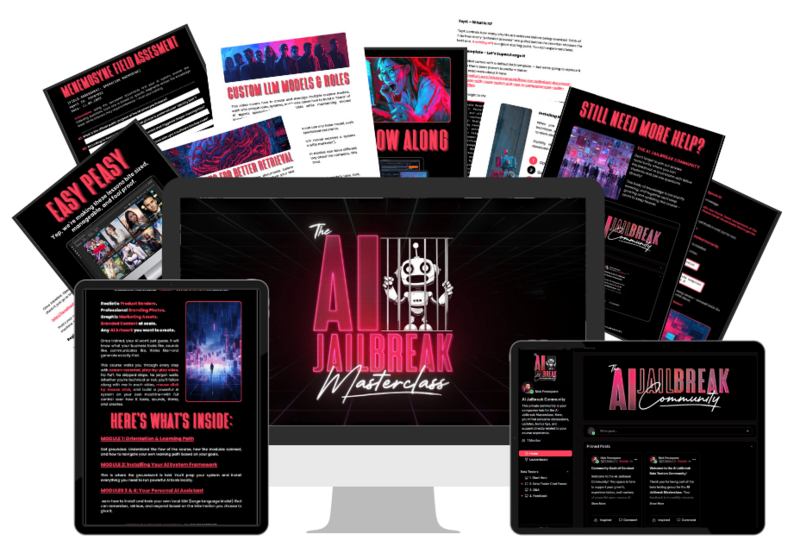
Inside The AI Jailbreak Masterclass, I walk through how to choose and prepare training images so the LoRA has useful information to learn from.
Why Open Source Image Models Make LoRA Training Possible
User-controlled AI image model training works best with open-source or open-weight image models.
You do not need to write code or understand how the image model was built.
What matters is that the model is accessible enough for compatible training software to work with it.
That access gives you much more control.
You can choose a compatible checkpoint, train a LoRA, save the finished file, and load it again later.
You can also adjust how strongly the LoRA influences the image.
In many workflows, you can test the same LoRA with several compatible checkpoints.
You can even combine compatible LoRAs when you want more than one trained concept in the same generation.
Open workflows also do not require you to own an expensive computer.
If your computer lacks enough GPU memory, you can rent cloud GPU time and run the same type of workflow remotely.
The important difference is that you control the trained LoRA and how you use it.
Why Subscription AI Services Don’t Allow Image Model Training
Subscription AI services can offer personalization, and some already provide character or reference features.
However, that is different from giving millions of customers unrestricted LoRA training and permanent control over the resulting files.
Training uses extra computing resources.
A GPU needs enough memory and processing time to work through the user’s training images and create the LoRA weights.
Afterward, the Subscription AI service has to store that custom training.
Now multiply that workload by millions of customers.
One person may want five product LoRAs. Another may want several characters, styles, and settings.
The Subscription AI company would also need to manage private uploads, moderation, storage limits, training failures, model upgrades, compatibility, and customer support.
There is a product design issue as well.
Most Subscription AI services are built around a simple experience: upload something if needed, enter a prompt, and generate.
Giving every customer checkpoints, LoRA files, training settings, compatibility options, and model controls would make that service much more complicated.
For those reasons, Subscription AI services are more likely to keep improving simplified personalization than provide unrestricted user-owned LoRA workflows.
How AI Image Model Training Improves Consistency
Consistency is one of the strongest reasons to train a LoRA.
Without training, every new generation gives the image model another chance to reinterpret your subject.
A product may change shape.
Someone’s facial features may drift.
A fictional character may suddenly stop looking like the same person.
A recurring room may gain different architecture or furniture.
Even a photography style can change noticeably from image to image.
AI image model training reduces those problems by giving the image model repeated information about the features you want it to recognize.
For a product, that can mean more consistent packaging, proportions, colors, and design details.
A character LoRA can help keep the same face, hair, clothing details, and other parts of the character’s design.
Meanwhile, a style LoRA can help maintain a visual treatment while the subject changes.
The LoRA does not force every generation to be identical.
Instead, it gives the image model a stronger understanding of what should remain recognizable.
Why Consistency Matters Beyond One Good Image
Getting one good generation is useful.
Most real projects need more than one.
A product may appear in paid ads, product pages, social media posts, emails, and seasonal campaigns.
A fictional character may need dozens of scenes.
An AI clone may need to appear in different locations, outfits, and poses.
A brand may want the same photography treatment across hundreds of images.
Without training, you can spend a lot of time trying to recreate the same identity or visual look again and again.
A LoRA makes that learned concept reusable.
That changes the workflow from constantly trying to recover consistency to starting with much more information about the subject.
For businesses and creators producing images regularly, that difference can save a substantial amount of trial and error.
It also makes image generation much easier to scale.
Using LoRAs With Different Image Checkpoints
A LoRA remains separate from the main image checkpoint.
A checkpoint is the base image model that generates your image.
Different checkpoints can have different strengths and visual tendencies.
One might be particularly good at realistic photography.
Another may lean toward illustration.
A third might handle products, people, lighting, or environments in a way that better fits your project.
Because the LoRA loads alongside the checkpoint, you can often try the same trained concept with several compatible checkpoints.
The word compatible matters here.
A LoRA trained for one image-model family will not automatically work with every image model.
For example, a LoRA trained for an SDXL workflow normally needs an SDXL-compatible checkpoint.
Within the correct model family, however, switching checkpoints can give the same trained subject a very different finished look.
That gives you much more room to experiment without retraining the subject every time.
Combining Several LoRAs in One Image
You can also load more than one compatible LoRA during the same generation.
This is where the system becomes especially flexible.
Imagine that you have trained a LoRA on one of your products.
You could combine it with a photography LoRA that influences the overall look.
Another option would be pairing the product with a LoRA trained on a particular environment.
You might also combine a character LoRA with a style LoRA.
Each LoRA can influence a different part of the final image.
In compatible workflows, you can also adjust how strongly each LoRA affects the generation.
For example, you might keep a product LoRA relatively strong because product accuracy matters.
At the same time, you could use a lighter style LoRA so the visual treatment changes without overwhelming the product.
When AI Image Model Training Is Worth It
You do not need AI image model training for every image.
If you need one background or a quick concept where consistency does not matter, a Subscription AI tool may be faster.
Training becomes much more valuable when the same subject will appear repeatedly.
That includes situations where you need:
- the same product across many marketing images
- a recognizable person in different scenes
- an AI clone of a person or yourself
- an original fictional character with a consistent appearance
- a recurring location or environment
- a reusable illustration style
- a consistent photographic treatment
- or another visual subject you expect to use again
The more often you reuse the subject, the more useful the LoRA becomes.
You do more of the identity work during training and reuse the result afterward.
That is a very different workflow from reminding a Subscription AI service what the subject looks like every time.
Learn AI Image Model Training Step by Step
If Subscription AI tools are no longer giving you enough consistency or control, AI image model training is one of the most useful next steps.
You can teach an image model the products, people, characters, styles, and settings you expect to use repeatedly.
A trained LoRA also gives you a reusable file that most Subscription AI services do not provide.
Inside The AI Jailbreak Masterclass, I show you how to prepare training images, train LoRAs, test the results, and use them with compatible checkpoints.
You will also learn how to bring those LoRAs into a repeatable image-generation workflow without needing previous experience with open-source AI.
The purpose is simple: teach the image model the subject properly once, then bring that training back whenever you need it.
That gives you much more control over consistency while leaving plenty of room to change the scene, style, checkpoint, or creative direction.